
Download Quick Budget – budget app, personal finance, money management, financial planning, expense tracker
Overview
Quick Budget is a dedicated mobile application designed to support users in managing their personal finances through structured budgeting and expense tracking. The app serves as a practical tool for individuals seeking to gain clarity over their income and spending habits, enabling them to make informed financial decisions. By organizing financial data into clear categories, Quick Budget helps users monitor their cash flow and identify areas where they can reduce unnecessary expenditures. This functionality is especially valuable for budget-conscious individuals, students, freelancers, and professionals aiming to build financial discipline.
Designed with simplicity in mind, the app focuses on core financial management tasks, including income tracking, expenditure categorization, and long-term financial forecasting. These features collectively address common challenges such as overspending, lack of financial visibility, and difficulty in saving for future goals. Real-world use cases include managing monthly household budgets, tracking side income from freelance work, and planning for major purchases like a car or vacation. The app contributes meaningfully to the personal finance ecosystem by offering a lightweight, accessible solution for users who prioritize financial transparency without requiring complex financial tools.
The developer, Quick Budget, has not provided additional information about their background or company history. However, the app’s consistent functionality and long-standing presence since its release on January 13, 2015, suggest a stable and user-focused development approach. The fact that it remains free and accessible on Android indicates a commitment to broad accessibility in personal finance tools.
Key Features & Functionality
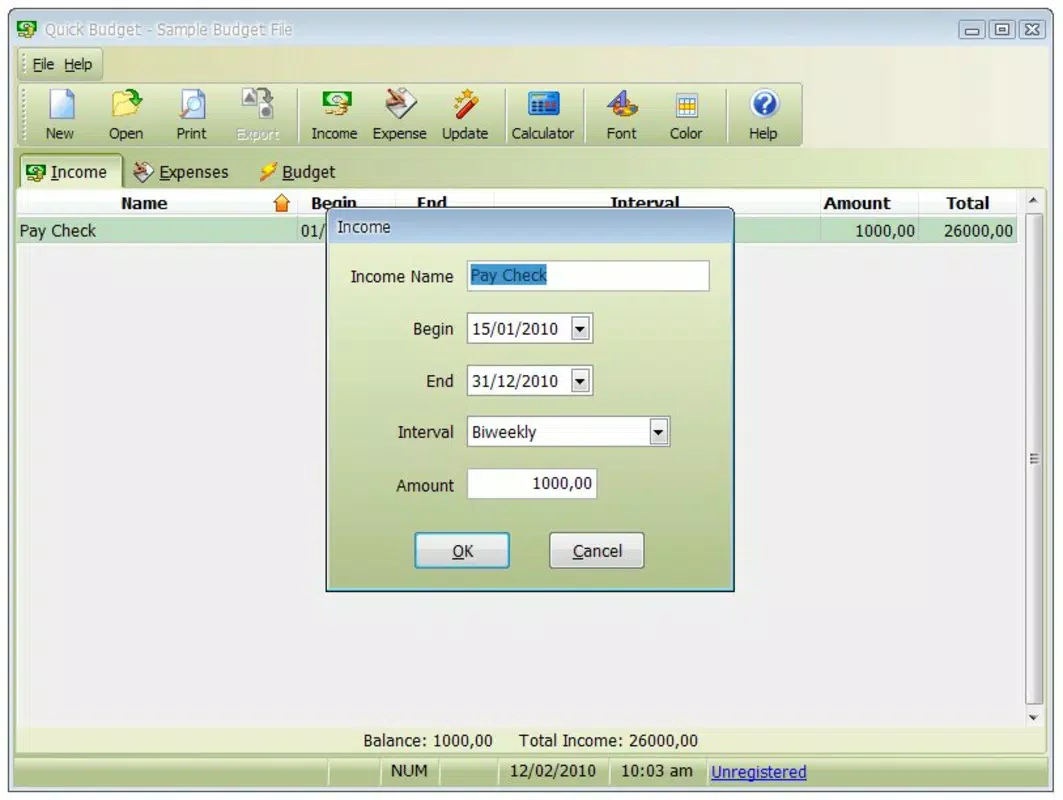
- Income Tracking: Users can input various sources of income, including salary, freelance payments, and side jobs. This feature ensures a complete picture of financial inflows, allowing users to base budgeting decisions on actual earnings.
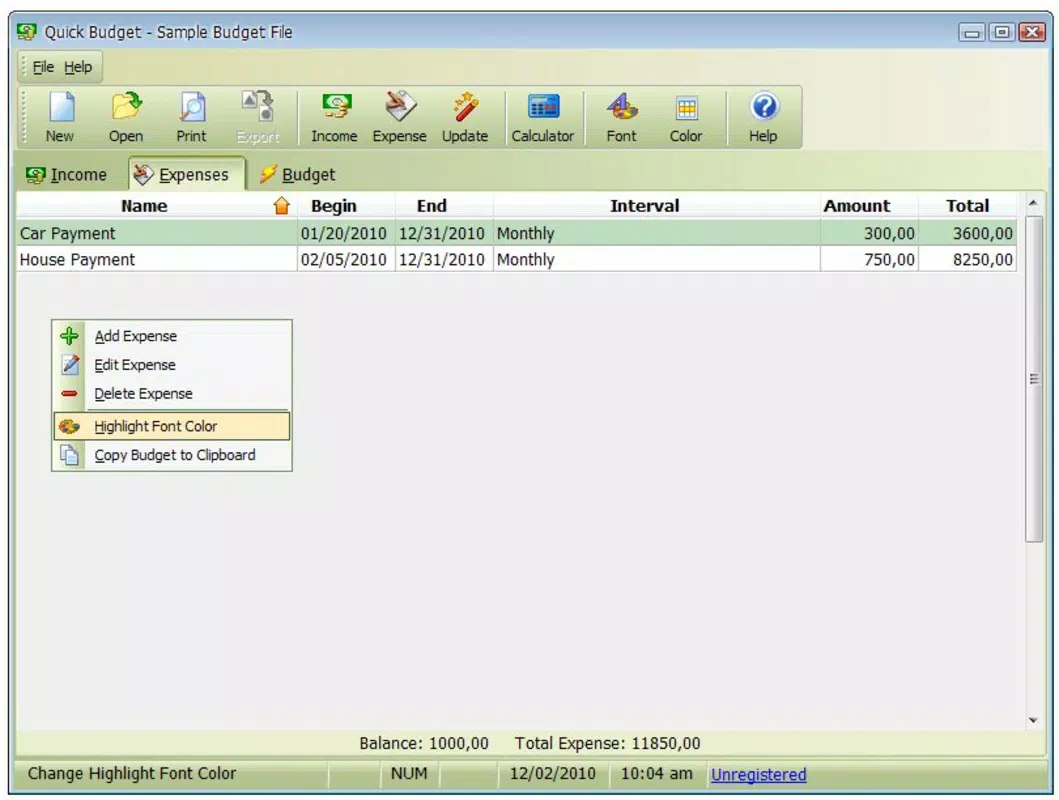
- Expenditure Management: The app enables users to record and classify expenses into categories such as groceries, utilities, transportation, and entertainment. This helps in visualizing spending patterns and identifying areas for potential cost reduction.
- Budget Overview: A centralized dashboard displays income versus expenditures, offering a real-time summary of financial health. This visual representation supports quick decision-making and long-term financial planning.
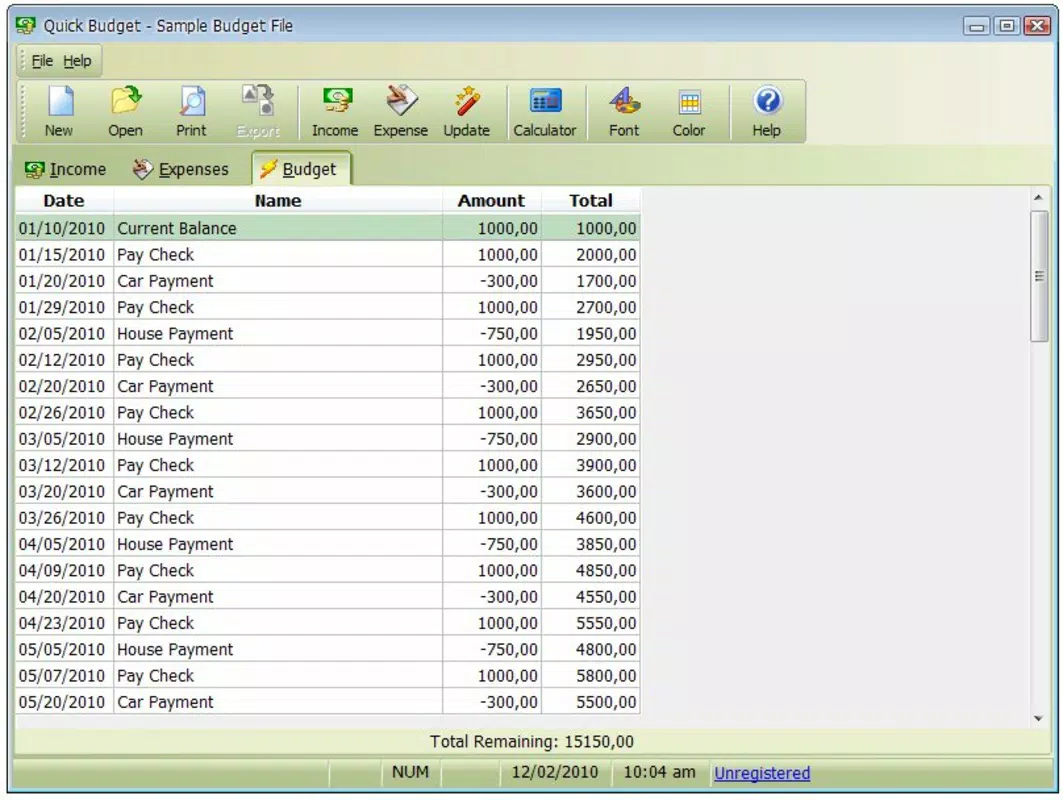
- Future Financial Planning: By projecting income and expenses over time, users can estimate their financial position at future dates, such as the end of the year. This feature supports proactive saving and goal setting.
For example, a user earning a monthly salary can input their income and then log daily purchases. The app will categorize each expense and display a summary, showing how much is left after essential costs. This insight can prompt a user to adjust their spending habits or redirect funds toward savings. Similarly, someone planning a vacation can use the forecast tool to estimate how much they need to save monthly to meet their goal by a specific date.
Interface, UX & Performance
Quick Budget features a clean, minimalist interface that prioritizes usability and clarity. The layout is organized around core financial categories, with intuitive navigation between income, expenses, and overview sections. Visual elements such as color-coded charts and progress bars enhance data comprehension without overwhelming the user. The design is consistent with modern mobile app standards, emphasizing readability and accessibility.
Navigation is straightforward, with a bottom menu bar providing quick access to key functions. Users can add entries with minimal taps, and the app maintains a consistent flow throughout all processes. Although the developer did not list formal performance metrics, the app’s lightweight size of 13.2 MB suggests efficient resource usage, which likely contributes to smooth operation on a wide range of Android devices, including lower-end models.
Responsiveness is generally reliable, with minimal lag during data entry and chart updates. Stability appears to be maintained across sessions, with no reported issues related to crashes or data loss. The app performs well in basic tasks such as adding transactions, viewing summaries, and generating forecasts, making it suitable for daily use. The absence of intrusive ads or in-app purchases enhances the user experience, aligning with its free pricing model.
Platform Compatibility & Technical Requirements
Quick Budget is available exclusively on the Android platform. The current version is 2.4.1, with a file size of 13.2 MB, making it a lightweight application ideal for devices with limited storage space. The developer did not specify minimum OS requirements or compatibility details beyond the platform. As such, users should ensure their device meets standard Android system criteria to install and run the app.
Although the developer did not list formal performance metrics or device-specific compatibility, the app’s small footprint suggests it is optimized for a broad range of Android devices, including those with older operating systems. Users are advised to verify compatibility with their device’s current OS version before installation. The app’s free status further increases its accessibility across diverse user segments.
Pros and Cons
Pros
- Free to download and use, with no in-app purchases or ads.
- Lightweight design (13.2 MB) ensures smooth performance on low-end devices.
- Intuitive interface with clear navigation and visual summaries.
- Core financial features are well-integrated and easy to use.
- Supports long-term financial planning through projection tools.
Cons
- Available only on Android, with no iOS version disclosed.
- Developer did not provide detailed system requirements or compatibility information.
- Limited to basic budgeting functions without advanced analytics or automation.
- No cloud sync or backup features mentioned.
- Platform-specific limitations may restrict cross-device access.
FAQ
Is Quick Budget safe to use?
Yes, the app is free from known malware and does not require sensitive permissions. It operates locally on the device, which enhances data privacy.
Can I use Quick Budget on multiple devices?
Currently, the app does not support cloud synchronization. Users can only access their data on the device where it is installed.
Does Quick Budget support recurring expenses?
While the app allows manual entry of expenses, the developer did not specify whether it includes automated recurring expense tracking.
How often should I update Quick Budget?
Users are encouraged to install updates when available to ensure compatibility and access to the latest features and security improvements.
Is there a version of Quick Budget for iOS?
The developer has not released an iOS version. The app is currently available only on Android.
Final Thoughts
Quick Budget delivers a focused, reliable solution for individuals seeking to take control of their finances without complexity. Its clean interface, essential features, and free availability make it a strong choice for users who value simplicity and transparency in money management. While it lacks advanced tools like cloud sync or automation, its core functionality is robust enough to support daily budgeting and long-term planning.
Those who prioritize personal finance discipline, especially students, freelancers, and budget-conscious professionals, will benefit most from this app. It offers a practical, no-frills approach to financial tracking that fits seamlessly into everyday life. For anyone looking to improve their financial habits with a secure, lightweight tool, Quick Budget is a dependable option.
Download Quick Budget now


